
AI for Small Business: GitHub Copilot and OpenRouter
AI for small business does not have to mean an expensive, autonomous system. The value comes from building a flexible environment that can grow with you, where different models can work with your business context, instructions, and processes at a cost you control. This is the small business AI setup I use with GitHub Copilot, OpenRouter, and a folder of organized business information.
My current setup is simple:
- VS Code (free)
- GitHub Copilot (free or $10 per month, depending on the plan)
- OpenRouter credits
- A collection of context files and instructions (which you write yourself)
- Obsidian, if I want a nicer way to view my notes (free)
My AI Usage Philosophy
Before we start, I should explain my philosophy when it comes to AI. I love having it help me. It can help me organize my thoughts, recognize patterns, perform mundane tasks, and write boilerplate and boring code. What I hate is AI-generated articles and videos. I can’t say I am a fan of autonomously written code either when a human never looks at it, but I’m less against that than editorial content.
My setup is meant to help me learn, improve my skills, and give me a second pair of eyes. Not to hand my brain over to a computer or let an autonomous agent run while I get a drink. I’ve written more about keeping your own thinking in my article How to Use AI and Not Become Dependent On It.
Strictly speaking, this setup is not one autonomous agent. It is an AI-assisted work environment (or AI Workbench) that can behave like several specialized agents depending on the context, instructions, and task I give it.
For a solo founder or small-business owner, that distinction matters. Small business AI should support the work that already needs to get done: organizing ideas, planning projects, writing content, reviewing decisions, and handling repetitive tasks. It does not need to pretend to be a complete replacement for an employee.
What AI for Small Business Can Help With
The most useful small business AI applications are usually the ones connected to the business owner’s existing information and workflows. For example, AI can help a small business owner:
- Organize loose business ideas and notes
- Draft, outline, and critique articles
- Plan products and projects
- Create repeatable business documents
- Search and interpret business notes
- Maintain daily notes and task lists
- Review a plan as a second pair of eyes
The point is not to automate every decision. It is to make the information and processes I already have easier to use.
How Small Business AI Fits Together
Before discussing the tools, it helps to understand how the pieces fit together:
- Harness: The application where I interact with models and give them access to files, tools, and workflows.
- LLM: The large language model that interprets a request and generates a response.
- Context: Relevant information about my business, projects, files, and preferences.
- Instructions: Rules that tell the model how to behave and how work should be performed.
- Skills: Reusable instructions for a specific task, such as writing a product requirements document or creating a game design document.
- Agent: A configured combination of a model, context, instructions, and tools that performs a particular kind of work.
The important part is that a model on its own knows very little about my business. Context and instructions turn a generic model into something much more useful. If you want to learn how to create your own reusable skills, see my article Create Your Own Claude Skills.
Why I Use GitHub Copilot with OpenRouter
With the explosion of AI, there are infinite different ways to set up this system now. The main choice for many boils down to, “Which harness do I use?” It seems like almost everyone immediately reaches for Claude Code, though Codex seems to be catching up: Codex vs Claude Code. There are also plenty of open-source harnesses, such as OpenCode, Pi, and OpenClaw.
While I have nothing against any of those, I still can’t bring myself to leave my $10 Copilot plan when it gives me so much to work with. I know there are even cheaper options, but switching costs are also real, so I won’t switch away unless I see a compelling reason. A lot of people became angry with GitHub Copilot when it moved to usage-based billing on June 1. Instead of jumping ship, I turned to OpenRouter to supplement my model usage. It turned out to be a great decision.
There are four reasons I use GitHub Copilot. I believe two of them can also be done with Claude or Codex, so the main reason I use it is simple: I’ve used it for a while. I am used to how it interfaces with VS Code, I am used to its commands, and it has treated me well. I have no reason to switch. The other three reasons are:
- Easy integration with VS Code (Codex and Claude can do this too)
- Easy access to OpenRouter models (Claude and Codex can call them as well)
- It is inexpensive (I don’t want to pay for what I am not using)
My favorite thing about this setup is that I can use just about any model I want. I was able to use DeepSeek V4 Flash 0731 the day after it was released with zero extra setup. This allows me to choose models based on the work I am doing and experiment with what they can do. I am not sure how this works in Codex or Claude, but with GitHub Copilot and VS Code, it is as simple as manually adding a model or, usually, selecting one that appears automatically.
Why VS Code
VS Code is still my editor of choice. I work in various languages, with and without Docker containers, and I write lots of AI-related Markdown files. VS Code handles all of these use cases well. It is also cross-platform, so the code and configuration I have runs on my Mac or Windows computers without extra configuration.
In addition, GitHub Copilot integrates very well into its UI, and it makes switching between OpenRouter models simple and straightforward.
Why I Use OpenRouter
When GitHub Copilot moved to usage-based billing, I knew I was going to need to supplement my models because my estimated usage cost from Copilot started to approach $100. If I wanted to spend that much, I would just buy a Claude subscription. So I started looking for alternatives. I landed on OpenRouter because it was widely recommended and it was not a subscription. I could add funds to my account, and models would stop working when I ran out of money. I wanted this to give me some peace of mind because of the horror stories about people’s AI keys being leaked.
With OpenRouter, I get access to a large number of models while controlling how much money I add to the account. I can also set limits, expiration dates, and other guardrails. That gives me more control than an open-ended usage bill, although I still need to protect my API key and monitor my usage.
How to Set Up GitHub Copilot and OpenRouter
Configuring this setup is pretty straightforward. It consists of:
- Installing VS Code
- Adding GitHub Copilot to VS Code
- Making an OpenRouter account
- Creating an OpenRouter key
- Adding the OpenRouter key to GitHub Copilot
- Setting up your folder structure
For the first two steps, I’ll point you to the official VS Code download page: VS Code download. For instructions on adding GitHub Copilot to VS Code, see the GitHub Copilot setup documentation. The official documentation will stay much more up to date than I can.
Next, head over to OpenRouter and create an account. Once you have an account, go to Preferences and select API Keys. Feel free to set guardrails, limits, expiration dates, and anything else that makes you comfortable. Make sure to copy your key when it is shown because it will not be shown again.
To use the key to call models, you will need to add Credits to your account, but you can do that at any time. I advise disabling Auto Top-Up when you add credits so you have finer control over when your credit card is charged, but the choice is up to you.
Add OpenRouter Key to GitHub Copilot
Once you have your key, head back to VS Code:
- Click the Copilot Chat icon in the sidebar to open the GitHub Copilot chat window.
- At the bottom of the chat window, click the model selector dropdown. With a fresh install, it may just say
Auto. - Click the gear icon next to “Other Models”.
- Click
Add Modelsand choose OpenRouter from the list of available providers. - A popup will prompt you for your API credentials.
- Paste in your OpenRouter API key and press Enter.
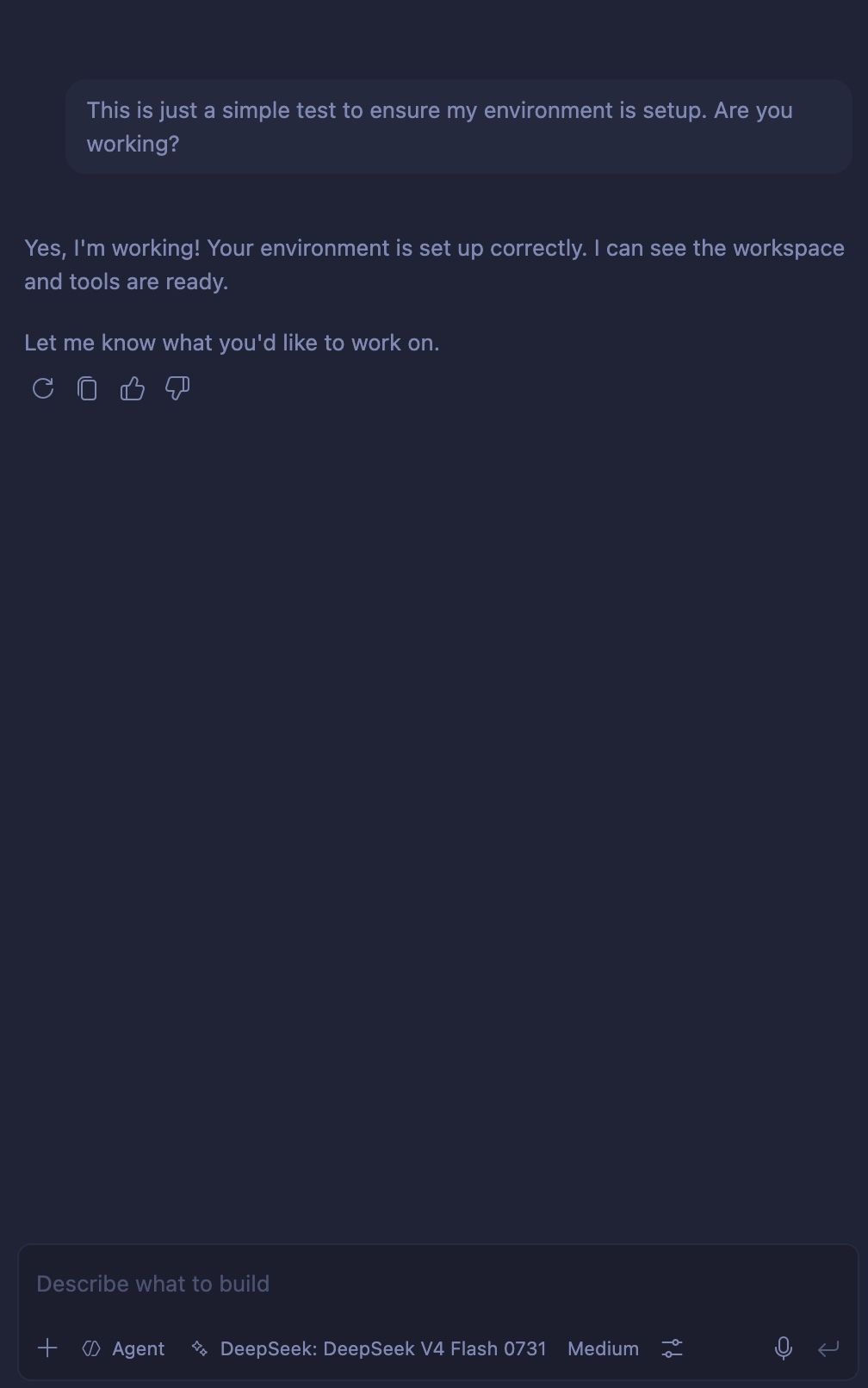
Now when you click the model selector dropdown in GitHub Copilot Chat and expand the chevron next to Other Models, you should see a selection of OpenRouter models. As of the time of this writing, DeepSeek: DeepSeek V4 Flash 0731 is one of the cheapest models available. Select it as your active model and paste a prompt like the example below to test it. Remember, you will need credits in your account first:
Building a Business AI Directory
This is where your use cases will differ from mine. I’ll show you the framework I have experimented with and currently like, along with the use cases and tasks I use it for. Feel free to experiment and customize it for your own needs.
At the end of the day, no matter what, AI runs on context. In general, the more relevant context you give a model, the more useful its response will be. There are limits to how much context a model can process, though, so the important thing is not to provide everything. Keep the context relevant.
I first ran into this idea thanks to Jake Van Clief on YouTube. His short on agents as folders is here: agents as folders. I was intrigued because I did not want another piece of software to run or manage if I could accomplish what I needed with folders.
Following his example, I created a folder structure that looks something like this:
Business
| -- .github
	| -- skills
		| -- write-a-game-design-doc
			| -- SKILL.md
	| -- copilot-instructions.md  <--Main context file for the whole business
| -- archive
	| -- context.md  <-- context for archive
| -- marketing
	| -- context.md <-- context for marketing area
	| -- products
		| -- context.md <-- context for product marketing
	| -- business
	| -- videos
| -- daily-notes
...
a bunch more folders
The .github/copilot-instructions.md file gives an overview of everything and guides the model to the appropriate context for each task. How exactly you organize this is up to you, but mine has the following overall structure, which closely mirrors Jake’s:
# Copilot Instructions for This Repository

## Repository Overview

This repository is a set of folders that represents the things I need to do as part of running my business.  It is not a software project so no commands should be run unless they are specified in a tool or prompt file.

## Folder structure

Each Folder in this repository is related to a separate piece of my business. For example, the `marketing` folder is used for all things having to do with marketing. If I need to plan an ad or do some other form of marketing, the `context.md` file at the top of that folder should be used to get the context.  once that folder is chosen, the `context.md` in that folder should be the main context file, not this one.

Business
| -- .github
	| -- copilot-instructions.md  <--Main context file for the whole business
| -- archive
	| -- context.md  <-- context for archive
| -- marketing
	| -- context.md <-- context for marketing area
	| -- products
		| -- context.md <-- context for product marketing
	| -- business
	| -- videos
| -- daily-notes
| -- .obsidian < -- Obsidian config files. Never alter

## Quick Navigation

| Want To... | Go Here |
|-------------|---------|
| Create marketing content | `content-marketing/context.md` |
| Make a note of something or investigate a topic | `things-to-investigate/context.md` |


## ID and Naming Conventions


| Content Type | File Format | Example |

|--------------|-----------|---------|
| product advertisement | `{product}-{date}-ad.md` | `example-04-04-25-ad.md` |
|---------------|--------------|---------|


## Token Management

Each workspace/folder is a silo. Do not load everything.
This example is very simplified to avoid becoming overwhelming. The idea is simple: tell your LLM where to go and what you want it to do. If this is the overall context file, what does one of the subcontext files look like?
It is very similar:
# marketing

## What This Workspace Is

This is an area used for various types of marketing work. This includes:

- writing articles for my website
- writing short-form content for posting on x and linkedin
- writing and planning scripts and videos for posting on tiktok and instagram
- Planning and capturing ideas to use for content for my products.
- Each product is in `/products/*`

## What To Load For Each Task Type

none yet

## Folder Structure


QFS-Agent

| - Business
	| -- marketing
		| -- products
		| -- business
		| -- videos
		| -- context.md <- you are here

## The Process

TBD

## What Not To Do

- Do not edit anything without permission
- Do not change my voice. I need your help in refining my ideas. Not speaking for me.


## Where Skills Plugin

These are the currently available skills and when to use them.


| Skill | writing type | purpose | location |

| -----| ------------| --------|------------|
And just rinse and repeat for each other type of work you have. This structure is not set in stone since, as you can see, lots of it for me isn’t even filled in. I’m still experimenting with what is important to me and how I want things organized.
While the example is simple, I hope you can see what can be accomplished. Keep in mind that most hosted LLMs process requests on other people’s servers. If you connect finances, customer information, credentials, or other sensitive data, make sure you understand how the service handles your prompts and files. Start with low-risk information and add safeguards before expanding the system. It all comes down to what you are comfortable with and what you need help with.
Do not put API keys or other secrets in your context files. Never commit them to a repository or paste them into public code. If a key is exposed, revoke it and replace it. Spending limits, expiration dates, and guardrails are useful, but they do not eliminate the need to protect your credentials and monitor usage.
Context files and skills work together
A context file explains what a part of my business is and where its files are. A skill explains how to perform a particular type of task. For example, a writing skill might tell the AI to ask for the target audience, goal, tone, and word count before drafting an article. A game-design skill might tell it to interview me before creating a design document.
The relationship looks something like this:
Business context
	tells the model what my business is

Folder context
	tells it what this part of my business contains

Skill
	tells it how to perform a specific task

Current request
	tells it what I want done now
The model can then combine these layers. It knows the general business rules, the relevant area of the business, the process for the task, and the specific result I am asking for.
How I Use It
The specific use cases will differ from business to business, but the same structure can support many kinds of work:
| Task | What I provide | What AI helps with |
|---|---|---|
| Write an article | A topic, relevant notes, and my style guide | Outlining, critiquing, and refining the article |
| Plan a product | Product ideas and constraints | Requirements, open questions, and organization |
| Plan my day | Recent daily notes and unfinished tasks | Organizing priorities and carrying work forward |
| Manage business notes | The relevant context file and notes | Categorizing, connecting, and updating information |
The model is not creating my business strategy from nothing. It is helping me work with information I have already created and decisions I still need to make.
Obsidian
You may have noticed that my file structure includes Obsidian. While Obsidian has nothing to do with the actual agent, it is what I use for writing, to-do lists, and other notes. However, because it is in the same file structure as my AI workbench, I can use the model to curate my to-do lists, update my documentation, and archive things. I am still building this out, but my plan is to have skills such as:
start my day-> make a daily note, move any non-completed items from yesterday overend my month-> archive the daily notes from this month, close out finances, create a reportbalance this month-> wire into my local finance app and balance it with my monthly statement
and the list goes on. Lots of people love to show off complex Obsidian backlink graphs and think that they are a sign of productivity. They might be, but unless those links are useful, they just add noise. Wiring everything into your LLM of choice and ensuring that it uses its context well—that is the real payoff.
AI Isn’t Out Of Reach
I hope I have convinced you that getting set up to use AI with your small business is not too difficult or expensive. Most of the work actually falls on you defining your business practices, which, let’s face it, has been a hard part of business since time began. Now those practices need to be formalized so AI can truly help you. If you are still overwhelmed by the idea of setting this up, please get in touch. I’d love to help you out!